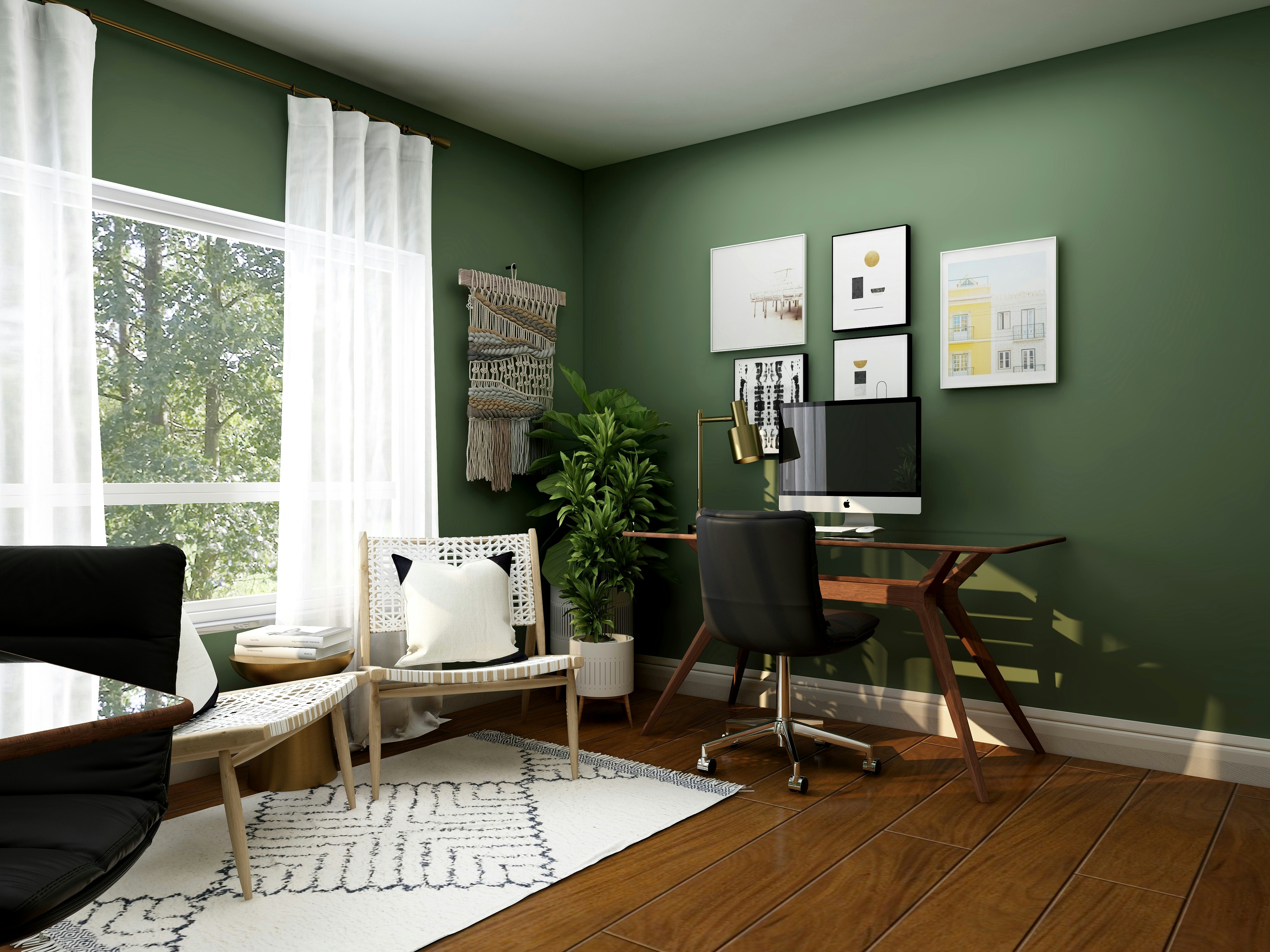
Home Office Remodeling: Creating the Perfect Work-From-Home Space in Dallas
Remote work is here to stay, and Dallas homeowners are realizing that working from the dining table or bedroom corner isn't sustainable long-term. A dedicated home office improves productivity, separates work from personal life, and adds value to your home.
At Arthur's Home Renovation, we help Dallas families create functional home offices that make working from home actually work. Here's how to design the perfect workspace.
Choose the Right Location
Spare bedrooms are the most common choice—quiet, private, and away from household activity.
Finished basements offer separation from main living areas. Keep noise and distractions minimal.
Converted garages provide dedicated space if you don't need parking. Requires HVAC extension and insulation.
Bonus rooms above garages work well for offices. Usually already climate-controlled.
Avoid high-traffic areas like kitchens or living rooms where focus is impossible.
Essential Electrical Upgrades
Home offices need more power than bedrooms.
Add dedicated circuits to prevent breaker trips. Costs $300-$800 per circuit.
Install outlets every 6 feet along walls. Include USB charging ports. Costs $100-$200 per outlet.
Consider floor outlets for desks in room centers. Costs $200-$400 each.
Plan for computer, monitors, printer, desk lamp, phone charger, and additional devices.
Lighting That Works
Natural light improves mood and reduces eye strain.
Position desk near windows but avoid glare on screens.
Add window treatments for brightness control. Costs $100-$500.
Layer artificial lighting:
Overhead recessed lights for general illumination
Desk lamps for task lighting
Ambient lighting to reduce harsh contrasts
Costs $500-$2,000 for complete lighting setup.
Built-In Storage and Shelving
Custom built-ins maximize space and keep offices organized.
Desk with built-in file drawers and shelving. Costs $2,000-$6,000.
Floor-to-ceiling bookshelves for files, books, and supplies. Costs $1,500-$4,000.
Closed cabinets hide clutter during video calls. Costs $1,000-$3,000.
Built-ins look professional and use every inch efficiently.
Soundproofing Solutions
Reduce noise from household activity and outside.
Add insulation in walls and ceiling. Costs $1-$3 per square foot.
Install solid-core doors instead of hollow ones. Costs $200-$600.
Use acoustic panels or sound-dampening materials. Costs $300-$1,000.
Carpeting or rugs absorb sound better than hard floors.
Important for video calls and concentration.
Internet and Technology Infrastructure
Strong, reliable Wi-Fi is non-negotiable.
Hardwire ethernet for fastest, most stable connection. Costs $200-$500.
Install mesh Wi-Fi if office is far from router. Costs $200-$400.
Plan cable management to hide cords—use desk grommets, raceways, or in-wall routing. Costs $100-$500.
Clean setups look professional on video calls.
Climate Control
Offices need comfortable temperatures year-round.
Extend HVAC ducting to office space. Costs $1,500-$3,000.
Add separate thermostat for zone control. Costs $200-$500.
Consider mini-split systems for garage conversions. Costs $2,000-$5,000.
Ceiling fans improve air circulation. Costs $150-$500.
Comfortable temperature = better productivity.
Flooring Choices
Durable, professional-looking flooring matters.
Hardwood or luxury vinyl plank looks professional and cleans easily. Costs $5-$12 per square foot.
Carpet reduces noise and feels comfortable underfoot. Costs $3-$8 per square foot.
Area rugs define workspace and add warmth. Costs $200-$1,000.
Use chair mats under rolling desk chairs to protect floors.
Professional Background for Video Calls
What's behind you on video calls matters.
Built-in bookshelves create professional backdrops.
Accent walls with paint or wallpaper add visual interest. Costs $200-$800.
Keep backgrounds clean and organized—avoid clutter.
Good lighting from front prevents dark, shadowy appearances.
Door for Privacy
A door that closes is essential.
Separates work from home life physically and mentally.
Reduces household noise during calls.
Signals to family when you're working.
Solid doors provide better sound insulation than hollow ones.
Ergonomic Considerations
Comfort prevents pain and improves productivity.
Adjustable desk height prevents neck and back strain. Costs $300-$1,200.
Quality office chair supports long work hours. Costs $300-$1,000.
Monitor at eye level reduces neck strain. Use monitor arms or stands. Costs $50-$300.
Proper lighting reduces eye fatigue.
Footrests improve posture. Costs $20-$100.
Budget Options
Full home office conversion: $8,000-$25,000
Basic office setup in existing room: $3,000-$8,000
Fresh paint
New lighting
Shelving and desk
Electrical upgrades
DIY approach: $1,000-$3,000
Paint yourself
IKEA or stock shelving
Simple desk setup
Basic lighting
Start with essentials, add custom elements over time.
Timeline
Converting spare room to office: 2-3 weeks
Converting garage or basement: 4-6 weeks (includes HVAC, insulation, finishing)
Simple refresh of existing space: 1 week
Plan around work schedule to minimize disruption.
Tax Benefits
Home offices may qualify for tax deductions.
Dedicated workspace used exclusively for business can be deductible.
Consult tax professionals about your specific situation.
Improvements may qualify as business expenses.
Resale Value
Home offices add value as remote work becomes standard.
Buyers expect dedicated office space now.
Flexible rooms that work as offices or bedrooms appeal broadly.
Quality built-ins and professional finishes increase appeal.
Don't over-personalize—keep design neutral.
Work with Experienced Contractors
Home office conversions require electrical expertise, carpentry skills, and understanding of ergonomic design.
Arthur's Home Renovation has over 10 years of experience creating functional home offices across Dallas. Our father-and-son team handles everything from design through final installation.
We ensure proper electrical capacity, lighting, and built-in storage.
We offer free consultations to assess your space, discuss your work needs, and provide realistic budgets.
Ready to create a dedicated home office in your Dallas home? Contact Arthur's Home Renovation for a free consultation. Let's build a workspace that improves your productivity and workday comfort.
Contact
Ready to transform your home? Reach out to discuss your project. We'd love to hear about your vision and help bring it to life.